Saturday, January 03, 2009

Run Multiple Versions of Internet Explorer AT THE SAME TIME

Anyone who has been a web developer for any amount of time would understand how tricky it is to get web pages to render correctly on different browsers, especially when the user base has a varied installation of browsers.

Installing a new version of IE replaces the previous version, so this is not encouraging at all for the adventurous (of which developers by nature are) who like to install cutting edge versions of software to test drive.

I've just thought about this problem myself, and viola, it turns out that I am too late! The problem has already been solved.

Here's a quote from TredoSoft:
Ever wanted to test your website in various versions of Internet Explorer?

It is possible to run Internet Explorer in standalone mode without having to over-write previous versions thanks to Joe Maddalone who came up with a way of achieving that in November 2003. Basically, Internet Explorer is run by exploiting a known workaround to DLL hell - which was introduced in Windows 2000 and later versions - called DLL redirection.

Get the Multiple IE installer.

Monday, December 29, 2008

Sick of Singapore ISP Bullshit

First it was Singnet and their "nobody needs more than 21Mbps" rubbish. Then Starhub is finding excuses for their inability to handle congestion from multiple users in the same area.

All the things mentioned in this page are true. But, it is a deliberate attempt to confuse users to prevent them from knowing the real truth.

I just signed up with Starhub's 8Mbps MaxOnline Express Plus plan, which comes with a complimentary 1Mbps mobile broadband plan. I've found that the mobile broadband was actually FASTER!

This is not the first time I have noticed this, but today I have decided to take down my results.

Using 2Wire's SpeedTest I obtained 3 readings from mobile broadband and cable modem each. The time was around 9pm today (Monday evening).

With mobile broadbamd, I had:

1.17Mbps
1.21Mbps
1.33Mbps

With cable modem, I had:

161.40kbps
190.70kbps
127.50kbps

Surprisingly, I am getting the full download speed from my 1Mbps mobile broadband connection, which is 10 times faster than the supposedly much faster 8Mbps cable connection.

No more excuses, Starhub. I have performed
  • the same test from
  • the same website at
  • the same time period
with astonishingly different results. Try explaining your way out of this one.

Thursday, December 25, 2008

Javascript for Everything

Do you still think that Javascript belongs only in the web browser? Think again!
JSDB is JavaScript for databases, a scripting language for data-driven, network-centric programming on Windows, Mac, Linux, and SunOS. JSDB works with databases, XML, the web, and email. It is free and open-source. Use it as a JavaScript shell, to run CGI programs, or as a web server.
Do all your scripting with ONE language. JSDB is built on a standalone JavaScript shell for various operating systems, Linux, Windows, Mac. Suddenly, even web developers have the power to develop real applications without going into the complexities of Visual Studio.

With wxJavaScript and its numerous bindings for Curl, MySQL, etc, you can even put together powerful Windows based applications in a jiffy, and did I mention you only need to know JavaScript? No pre-requisite for Bash, ActionScript, Python, Tcl, etc.

CamStudio - Destop Video Capture

Have you ever wanted to give some step-by-step instructions to people on how to use some programs, or even their own computer, and get frustrated because you had to write lines upon lines of text, throwing in a couple of screenshots which most people have no patience to read or are unable to follow?

Desktop Video capture is the way to go. CamStudio deservedly came up tops on a Google search for "desktop video capture". There are lots of other software packages, but they either cost money, and they simply DO NOT WORK.

CamStudio works, and it's free. Best of all, it generates SWF output for you that you can embed into your website, or upload to Youtube right away. Consider making a donation if it helps you.

SquashFS on Cygwin

It's rather trivial to compile Squashfs-Tools under Cygwin. With this comes a host of benefits for developers, i.e. lay people can make their own modifications, and roll their own images without bothering the developers to run mksquashfs for them under Linux.

I know most people are not going to compile their own (although I don't see the big difficulty), so I have packaged the binaries for Squashfs 3.4, which are available here.

Anyway, this is the patch against squashfs3.4:

Update: I've submitted the patch to the official Sourceforge page:
https://sourceforge.net/tracker/index.php?func=detail&aid=2465952&group_id=63835&atid=505343
Index: squashfs3.4/squashfs-tools/unsquashfs.c
===================================================================
--- squashfs3.4/squashfs-tools/unsquashfs.c (revision 4)
+++ squashfs3.4/squashfs-tools/unsquashfs.c (revision 5)
@@ -49,9 +49,11 @@
#include <sys/time.h>

#ifndef linux
+#ifndef __CYGWIN__
#define __BYTE_ORDER BYTE_ORDER
#define __BIG_ENDIAN BIG_ENDIAN
#define __LITTLE_ENDIAN LITTLE_ENDIAN
+#endif /* __CYGWIN__ */
#else
#include <endian.h>
#endif
@@ -252,6 +254,7 @@

void sigwinch_handler()
{
+#ifndef __CYGWIN__
struct winsize winsize;

if(ioctl(1, TIOCGWINSZ, &winsize) == -1) {
@@ -259,6 +262,9 @@
columns = 80;
} else
columns = winsize.ws_col;
+#else
+ columns = 80;
+#endif
}


@@ -2411,6 +2417,9 @@
if(sigprocmask(SIG_BLOCK, &sigmask, &old_mask) == -1)
EXIT_UNSQUASH("Failed to set signal mask in intialise_threads\n");

+#ifdef __CYGWIN__
+ processors = atoi(getenv("NUMBER_OF_PROCESSORS"));
+#else /* __CYGWIN__ */
if(processors == -1) {
#ifndef linux
int mib[2];
@@ -2431,6 +2440,7 @@
processors = get_nprocs();
#endif
}
+#endif /* __CYGWIN__ */

if((thread = malloc((3 + processors) * sizeof(pthread_t))) == NULL)
EXIT_UNSQUASH("Out of memory allocating thread descriptors\n");
Index: squashfs3.4/squashfs-tools/read_fs.c
===================================================================
--- squashfs3.4/squashfs-tools/read_fs.c (revision 4)
+++ squashfs3.4/squashfs-tools/read_fs.c (revision 5)
@@ -36,9 +36,11 @@
#include <sys/mman.h>

#ifndef linux
+#ifndef __CYGWIN__
#define __BYTE_ORDER BYTE_ORDER
#define __BIG_ENDIAN BIG_ENDIAN
#define __LITTLE_ENDIAN LITTLE_ENDIAN
+#endif /* __CYGWIN__ */
#else
#include <endian.h>
#endif
Index: squashfs3.4/squashfs-tools/global.h
===================================================================
--- squashfs3.4/squashfs-tools/global.h (revision 4)
+++ squashfs3.4/squashfs-tools/global.h (revision 5)
@@ -71,4 +71,9 @@
typedef squashfs_inode_t squashfs_inode;
typedef squashfs_block_t squashfs_block;

+#ifdef __CYGWIN__
+#include <sys/termios.h>
+#define FNM_EXTMATCH (1 << 5)
#endif
+
+#endif
\ No newline at end of file
Index: squashfs3.4/squashfs-tools/mksquashfs.c
===================================================================
--- squashfs3.4/squashfs-tools/mksquashfs.c (revision 4)
+++ squashfs3.4/squashfs-tools/mksquashfs.c (revision 5)
@@ -49,10 +49,12 @@
#include <fnmatch.h>

#ifndef linux
+#ifndef __CYGWIN__
#define __BYTE_ORDER BYTE_ORDER
#define __BIG_ENDIAN BIG_ENDIAN
#define __LITTLE_ENDIAN LITTLE_ENDIAN
#include <sys/sysctl.h>
+#endif /* __CYGWIN__ */
#else
#include <endian.h>
#include <sys/sysinfo.h>
@@ -3161,6 +3163,9 @@

signal(SIGUSR1, sigusr1_handler);

+#ifdef __CYGWIN__
+ processors = atoi(getenv("NUMBER_OF_PROCESSORS"));
+#else
if(processors == -1) {
#ifndef linux
int mib[2];
@@ -3172,7 +3177,6 @@
#else
mib[1] = HW_NCPU;
#endif
-
if(sysctl(mib, 2, &processors, &len, NULL, 0) == -1) {
ERROR("Failed to get number of available processors. Defaulting to 1\n");
processors = 1;
@@ -3181,6 +3185,7 @@
processors = get_nprocs();
#endif
}
+#endif /* __CYGWIN__ */

if((thread = malloc((2 + processors * 2) * sizeof(pthread_t))) == NULL)
BAD_ERROR("Out of memory allocating thread descriptors\n");
@@ -3422,7 +3427,6 @@
return FALSE;
}

-
*new = init_subdir();
if(stickypath)
*new = add_subdir(*new, stickypath);


Here are some links to this topic:


Sunday, December 07, 2008

Speed Demon

Did I also mention I bought the Linksys WRT310N Wireless-N Gigabit router for $109 during one of the hourly timeslots at Sitex which allowed the first 5 customers to get a discount from the show price of $159 (RRP $199)? Not a bad deal considering the Dlink DIR-655 is going for over $200, and the Belkin N1 Vision is going for $225 as well. The 310 is just one step down from it's sibling 610 in terms of features. The 610 has an additional 5GHz radio which allows it to avoid the spectrum congestion in the 2.4GHz space, crowding with mircowaves and other wireless access points.

The irony of the matter is, my home network may be Gigabit enabled, but I cannot enjoy it!!! Because my laptop is NOT Gigabit! Sony SZ483N !@#$% has a Marvell Yukon (gigabit line) Fast Ethernet chip! My NAS is gigabit, my router is gigabit, and even my work laptop is gigabit! Argh!!! I guess this is what I have to contend with by going for looks. There is always something deficient about something small, slim and pretty.

Ahh, there is new firmware for my Linky. Time to dowload! Haha.

Saturday, December 06, 2008

Starry Escapade

I signed up with Starhub yesterday for their MaxOnline Express Plus. Comes with up to 8Mbps (usual disclaimer mumbo jumbo applies) download with SpeedBoost at selected partner sites of up to 100Mbps. A free home phone line and 1Mbps mobile broadband is also included. All for a price of $59.92. SIM card fee: $37.45, one-time service activation fee: $34.10.
Actual bandwidth is dependent on hardware, software, Internet traffic and destination server.
The cable modem provided is NOT 100Mbps (DOCSIS 3) capable. Which means you have to get your OWN DOCSIS 3 cable modem to be able to access Yahoo! (happens to be one of the partner sites) at 100Mbps. I have not been able to load any speedtest page successfully to test out my connection, but the intuitive feel is that Yahoo does seem to be faster than DSL. So does HardwareZone, and especially VR-Zone.

I got a nice big CDROM called MaxOnline User Guide. Inside the 650MB CD there is a grand total of 17.7MB worth of PDF files (only one actually). Is this necessary? I'd rather they provide a thumbdrive, it is more practical since the drive can be reused, and the manual tends to go out of date anyway.

A digression about how this 100Mbps thing is possible. Singapore has a local Singapore-ONE network which is powered by a speedy backbone. When accessing the SpeedBoost sites, you are actually accessing the local servers. The company itself does not have to own the servers in the localities concerned, even though Yahoo! itself may in fact own servers in Singapore. Akamai installs servers in Singapore that cache popular websites like Yahoo, CNN, etc. If you are interested enough, take a peek at the HTTP headers when visiting these websites, you will see that they are being cached by Akamai. However, you are still accessing the most up-to-date information from the main servers, because Akamai constantly checks with the main server for the most updated pages, and fetches new ones as necessary.

The 3.5G USB dongle for the mobile broadband is HUGE. Makes me just want to use my phone. Caveat: if i put the SIM card into my phone, I lose cellular connectivity as the 3.5G is for data only.

Sending SMS from the 3.5G SIM card costs 5 cents a message. I feel this has to be made more explicit. I knew about this only because I asked.

Does Starhub still practise port blocking?

Bummer: I called Singnet earlier today asking to terminate my Singnet account, and I was told I can only do that in Feb 2009! That means I will be paying an extra $33 a month for another 2 months. Any takers?

I'm escaping from Singtel into the demonic arms of Starhub, what kind of escape is that?

Wednesday, December 03, 2008

Servant Leadership

Heh. I simply have to talk about this - smart people think alike! I read this on Joel Spolsky's Inc article "How Hard Could It Be?: My Style of Servant Leadership"
management's job is to get things out of the way so that all the great people we've hired can get work done.
This is something I have personally believed in, and professionally practiced. A lot of managers simply assign tasks to their engineers/subordinates, set them deadlines, and left them as they were, nary lifting a finger to help, and reprimanding their people without even a clear knowledge of the situation.

I've always believed that my job is to remove the obstacles, administrative hurdles, red-tape, inefficiencies, and distractions so that my team can get their things done. Getting their work done is getting MY work done.

There is really so much I agree with Joel, as I went back to finish reading the article, a few more points struck a chord with me:
... working hard to make Fog Creek Software a place where authority and respect are earned and not bestowed. A place where management is an administrative function ...

Go on, read it! Print it, and paste it on your cubicle, facing outwards (if you have a boss), inwards if YOU are the boss.

Well, the reality of the situation is that I have not been completely able to focus on removing the obstacles - I still have to get my feet wet when the going got tough - I really shouldn't do this too much because I will lost my strategic value-add if this is sustained. We live in a world of constraints, be they natural or man-made and I guess we'd just have to work within those.

Tuesday, December 02, 2008

Netgear ReadyNAS Community

THE PLACE to get the inside scoop on everything ReadyNAS. Find previews and reviews of new features, tutorials, and information you won’t get anywhere else. Well, maybe you will, but not easily and not in one happy place like this. Do give us feedback on the ReadyNAS Community Forum and let us know if you would like to see topics not covered here. Enjoy!

Ejscript Embedded Javascript Language

Javascript, also known as ECMAScript, is the world's primary programming language for web sites and applications. The Internet "breathes" Javascript and with Ejscript, it can now be set free to become a language that exceptionally is well suited to embedded and web applications outside a browser.

Ejscript™ is a compact, fast and powerful implementation of Javascript. Use it in applications, devices, server side web scripting, or anything outside the browser that your imagination can dream up.

With classes, interfaces, optional strong typing, type checking, namespaces, modules, getters, setters, iterators and a rich system library -- Ejscript is the ideal language for a host of embedded applications.

Sunday, November 30, 2008

Dlink 坐地起价!!!

Having just visited Sitex 2008, I came back with a bunch of brochures. Interestingly, as I was clearing out my old stuff, I found a copy of D-Link's Sitex 2007 brochure (ONE year ago), and to my amazement, discovered that prices have not dropped much, but instead has increased for the DIR-655 router!

Look here: The DIR-655 is selling for $175 (show price).

Then take a look at the brochure below, from this year's exhibition: The DIR-655 is going for $225 (show price), and $189 (trade-in price), which is even MORE EXPENSIVE than last year!
Hmm, well, I'd expect D-Link to tell me the hardware has been upgraded, etc, leading to better performance, blah, but seriously, this is the exact same router, the same features!

Bad D-Link marketing ...

Grounded Aero-plane

Windows Vista comes with this swanky slick user interface called Aero (transparency et. al.) I thought my 'new' laptop with 2.16GHz CPU and 2GB RAM should be able to handle it. Nah! Somehow my old Compaq Evo 620C felt faster with it's 1.5GHz and 512MB RAM.

Just yesterday, I had some sense to switch back to the Windows Standard display scheme, and boy, did the parachute break!

Windows Vista and Windows 7 (and later) should really run a first time wizard warning users (especially speed aficionados like me) about the performance penalty (yes, I go for looks too) and provide an option to disable Aero, or at least provide the user an option to optimize aesthetics or performance.

ReadyNAS Duo

I became a proud owner of a Netgear ReadyNAS Duo last night, having bought it at the Sitex Exhibition 2008 (in Singapore). Price: S$439 with a bundled 500GB Seagate Barracuda 7200.11.

(This picture contains my current setup. The silver box contained a 250GB Western Digital external drive, the front USB port is connected to a failed Seagate 2.5inch drive taken out from my laptop, which I am still trying to recover data from.)

I was in the market for a 2-bay Network Attached Storage device. The hard disk on my Sony Vaio SZ-483 failed on me after 9 months, taking some of my photos along with it, including some vacation photos and baby photos of my niece. =( People really have to learn things the hard way.

The uninitiated may wonder what this unit has that can't be fulfilled by portable storage offerings from Western Digital, Maxtor or Seagate. Having a built-in processor and memory takes a huge load off your PC or laptop. Having a shared network storage means that several computers can access shared files all in one place, instead of having to carry a USB drive around. Of course, if you only ever have one PC (which is also true in my case), you probably would not appreciate the benefits of a central storage system.

The key consideration was the hack-ability of the unit - I wanted to be able to extend the box with my own applications and services. A close contender was a Qnap TS-209 II as Qnap also had their own Qpkg development system, besides the fact that Qnap specializes in network storage all this while and have built a full range of storage systems. I also spent some (thankfully not a lot) time looking at the Dlink DNS-323 (and it's 4-bay 343), but after reading reviews on Amazon, realized that it was not a serious contender at all for the things I wanted to do.


The balance was tipped in Netgear's favour for a practical reason - because the Duo was selling for $439 bundled with a 500GB hard disk, and it was available at the exhibition. The QNAP was nowhere to be found, and it's retail price is rather high, just for the enclosure itself. The Netgear also had local support in Singapore (which I doubt would be helpful). Both have development systems (although ReadyNAS is positioned more strongly as a cross compilation platform than the QNAP), and the QNAP seemed to come with more features bundled, i.e. Joonla, phpMyAdmin, WordPress, DDNS etc. This is not really an issue for me since I am able to install these myself, but it is indeed a hassle to have to do so much work just to get something functional. ReadyNAS also seems to want to protect the user while QNAP sets out to be developer friendly from the start. For someone else who just wanted to be up and running in no time, then I would recommend the QNAP.

Update: Bummer! The ReadyNAS Duo uses DDR SDRAM, and not DDR2. DDR prices have gone through the roof in recent times due to limited supply. Now what am i to do?

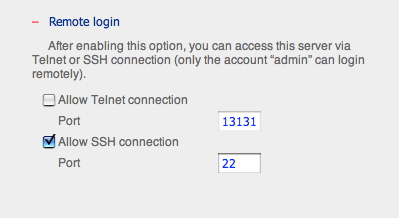
According to this review on SmallNetBuilder, SSH/telnet access to the TS 209 was exposed in the web configuration, while ReadyNAS's RAIDiator made you go through hoops to install add-ons to do the same thing.


Going for the same price at Sitex was the Asus Eee Box B202.


This was another contender for my budget since it could double as an entertainment PC as well as NAS functionality, Running at 20W, it is even more power efficient than the NAS, but keep in mind that there is only one 2.5inch 80GB hard disk. Functionality won out in the end, since I didn't really need another PC, I really wanted a capable network storage system, and I'm not willing to shell out good money for the XP license on the Eee Box.

Realtime HTML Editor

I've found a useful website which shows you the look of your HTML in real-time as you type it.

It is very useful as it saves the user time from switching between editor and browser to review the changes.

Beware though, if you are using IE8 and you toggle Compatibility View for that page. It will reload, and you will lose all your HTML. So make frequent copies of your code into Notepad, or my current favourite Programmer's Notepad.

Sunday, November 23, 2008

New Web Protocol

It's good to know that companies are taking the step to widen their reach by having a presence on the web. No offense, but I found this rather amusing.

Sunday, September 14, 2008

The Case of the Missing Cursor

Your text-select (I-beam) cursor may become invisible on an application with a black background. My affected application was PuTTY, something that I use daily in the course of my work.

Using the integrated video Intel 945GM Express (Mobile) gave me this problem, but not with the external Nvidia accelerator (yeah I have a good laptop).

Even Simon Tatham knows about this 'bug'

At first I thought that the 945GM did not support a hardware cursor, but that is actually not the case.

Well, this turns out that it is not a bug related to PuTTY. It is a bug in the video driver. The most likely explanation was this:

I've seen this same problem personally on a GeForce2MX, and I investigated it carefully. I believe it is a bug in the GeForce2MX video driver. The I-beam cursor is supposed to invert whatever colour is underneath it, but it mistakenly inverts black to black. (My suspicion is that each RGB value x is mapped to 256-x instead of 255-x, or some equally easy typo.)

So off I went to Intel's website, downloaded the latest drivers, installed, rebooted, and viola! problem solved.

I hope this would help people facing the same problem, especially since the Mobile 945GM Express is so prevalent, I'm sure it affects a lot of people.

Thursday, August 14, 2008

CheckInstall + InstallWatch = Lethal Combination

A good way to keep your N systems up to date without re-compiling N times (especially Samba/Wine which take ages).

Many packages do not come with a "make uninstall", so trying to get rid of software that you have compiled from source and installed is not a trivial task, and your system ends up getting polluted.

A tip I learned from the Linux Journal was to use checkinstall to manage source installations. Together with installwatch, checkinstall tracks the changes to your system, at the same time allowing you to conveniently create RPM/DEB/PKG archives for Redhat/Fedora/Debian/Slackware for distribution on other systems.

RPM generation used-to, and still is an arcane art that I never bothered to learn. Now with checkinstall, there is no more excuse.

Yeah.

Sunday, August 10, 2008

Portability

I'm sure many of us are used to this when we get a new computer:
  • spend one full day to install all the applications you need
  • and spend the rest of the week to get all the patches up to date
  • then spend the rest of the month to customize all the settings to your taste
These things are also very common:
  • installing all our programs on every PC that we need to use the program on
  • try to copy a program to another machine only to find that it does not work
  • you have to install!!
Which is bad for our mental well-being because we:
  • feel helpless whenever we are not using our own machines
  • have no idea where the applications stores our files and settings
  • thus will be at a loss when it comes to migrating to a new system
We have always been doing it, and we wouldn't think of any other way to do it, simply because this is was all we knew. So we've been putting up with this.

No longer. I'm starting to move myself onto the next wave - running portable applications. These portable applications allow you to carry your applications with data and settings everywhere you go.

The prevalence of large and affordable thumb drives allow people to carry their all their applications and data on a tiny stick small enough to fit into a wallet.

In this increasingly IT literate world, most tech savvy people would have access to, or even own and use more than one computer at the same time. For example, a PC at home, a personal laptop, a company laptop, a company PC, ... (you get the idea). In huge companies, the IT department even disallows users to install their own applications (not even for development work) due to the huge logistical and support complexity of managing so many machines and so many people. Users are given write-access only to very limited locations (like their Desktop), and installing any application is out of the question.

When you start to use a new application, or install and updated version, you will have to install it on every machine that you own or work on. This can really be a hassle, especially when you have to make all the same configuration changes each time. Program installation can be a highly interactive process, and for some of us with high hourly rates, this process is certainly a waste of our time.

The solution to this: portable applications. Portable applications distinguish themselves by storing data and preferences in the program directory. The program folder can simply be copied over from anywhere, or extracted from the 'installation' package. All the files, data, and settings are stored inside the program directory, no registry entries are changed, and no other files are changed anywhere on the host system.

So after setting up 20 of your favourite applications once in the portable way, you just need to COPY the whole bunch to another computer, should the need arise. What usually takes a good 2 to 3 hours to do (when you install and customize manually, clicking tons of buttons throughout the entire process), becomes something that you can copy in 5 minutes (and all you need to do is just drag-and-drop at the beginning).

There are several portable solutions:

I recommend PortableApps.Com because it is convenient, flexible, has an open, active community, and most importantly, it is FREE! You can install and use PortableApps anywhere, on your hard disk, and even on your IPOD! Recently, I have even chosen to use the PortableApps version of a software on my home laptop, instead of using the installer program. Better yet, there are a LOT of applications that have PortableApps packages (including my favourite Wireshark, Programmer's Notepad, Firefox, Thunderbird, etc), and the list is still growing!

But why not installers? After all, every user on the same system gets to use the program, which only needs to be installed once, thus saving hard disk space. I think, for large applications like OpenOffice, it does make more sense to have a central installation which can be shared by everybody. But for smaller applications (~25MB or less), it doesn't make much of a difference compared to the amount of user data that is being generated/saved. Moreover, often, a system is being used by only one person during any period of time. Using the portable applications paradigm, when one discontinues the use of a machine, he/she will copy the app+data to the new machine, and remove the original from the old machine.

The U3 system is a proprietary system for putting applications on specially formatted thumbdrives. U3 is pre-installed on certain 'premium' thumbdrives (like my Sandisk Cruzer Titanium *wink*) which auto-launches when the drives are plugged-in, giving the user another "Start Menu"-like mechanism to launch applications. Since it is not as flexible as PortableApps, why do I still mention/recommend it? Well, after all, PortableApps is for slightly techically savvy people. U3 is suitable for people who could benefit from the convenience of carrying all their applications and data around in a thumbdrive that comes pre-installed, starts automatically, and allows you to do almost everything with an easy-to-use graphical interface. In short - "it just works".

Are you convinced yet? Try your portable apps today!

Saturday, August 09, 2008

PN2 Supports Tag Browsing

Programmer’s Notepad 2.0.8 Stable Released

Finally a new stable build! Programmer’s Notepad 2.0.8 has been just over a year in the making. Some of the highlights of this release:

  • Extensions interface, allows extension of PN using C++ add-ins
  • Python extension (PyPN), allows scripting of PN using Python
  • Tag browsing
  • Keyboard customisation
  • Comment insertion/removal
  • Autocomplete (based on keywords and tags)
  • Code templates

Wednesday, August 06, 2008

Gesture Control

Saw the review on the Toshiba Qosmio G50 laptop today on Digital Life. The thing that caught my attention is that it claims to be the first laptop that supports gesture control, using the built-in webcam. (Now this is a topic for pervasive computing).


Actually, thinking of it, gesture control is not a new concept. The Nintendo Wii already uses gesture control as its main feature, although the medium is not from moving visual images. For example, an IPAQ coupled with an accelerometer makes use of the same concept (just that Wii got it right and commercialized it).

Seems like GestureTek is the pioneer of gesture control software (according to Business History Today).

Sony Ericsson's upcoming (?) Z555 touts gesture control - on an interesting, but unrelated note, it is a clamshell, a breakaway from Sony Ericsson's affection for candy bars - as seen on Network World which thinks that gesture control may be the "new wave in consumer electronics". Given time, I believe that gesture control will be the new wave in personal and ubiqutous computing as well. (Not needing even a touch screen nor a stylus)

This should be what computing is all about. Humans should NOT be adapting themselves to the machine interfaces, as is the case with ALL technology nowadays, instead, machines should adapt to humans, and reliably guess what they want. ("You want me to click OK? NO! YOU click OK!" - Prof Larry Rudolph)